Warning areas, not points
You see circles on the map, not pins. An area only appears once several people nearby report something similar.
CircSafe shows anonymous, deliberately imprecise warning areas for your walk. Based on community reports, with no account and no movement profile.
Few features, but well thought out: quick to grasp, frugal with data and fair.
You see circles on the map, not pins. An area only appears once several people nearby report something similar.
Your location is offset by 10 to 20 metres on your device already, and the centre of an area is offset again on the server. Nobody can be traced.
New areas appear in real time and disappear automatically again, after 120 minutes.
No sign-up, no ads, no analytics tools. Reports cannot technically be linked to a person.
Fixed buttons instead of free text and photos. That is quick, factual and leaves no room for accusations.
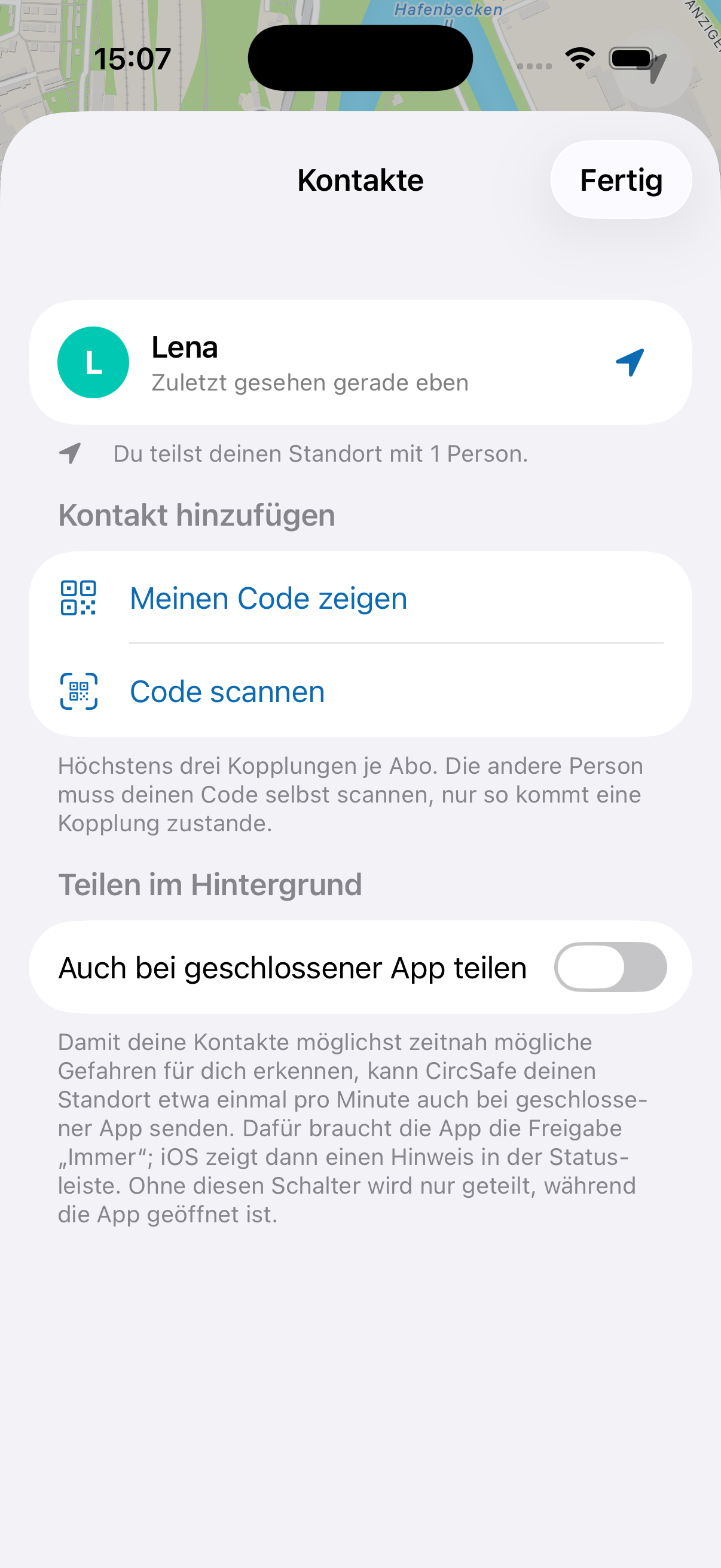
Pair with people you trust via QR code, see their last shared location and the events there. Encrypted, and you can end it at any time.
The subscription runs through the App Store (iPhone) or Google Play (Android) and can be managed there at any time. We receive neither names nor payment data.
From report to warning in three steps, fully automatic.
Someone on site chooses a category. The location is slightly offset on the device before anything is sent.
An approximate area is calculated automatically from the report. Further reports nearby feed into the same area.
The area appears as an imprecise circle without category and without any link to people. After a short time it dissolves.
This app lives on its users: the areas on the map come mainly from reports by people on the ground. An empty map therefore does not mean there is no danger nearby. It may simply not have been reported yet.
The more people use CircSafe and report what they actually see, the more useful the map becomes for everyone. Only report what you observe yourself.
Pair with people you trust and see where they were last and what is going on around them.
We do not collect what we do not need. The most important rules are anchored in the program code and backed by automated tests.
Warning areas may be incomplete or wrong and replace neither your attention nor the police. In an emergency, call your local emergency number (for example 112 in the EU, 911 in the USA).
Users with an active subscription. Display and reporting are tied to the subscription, which is never linked to a report.
No. CircSafe is a community app that lives on its users' reports. An area only appears once people on the ground report something. An empty map can therefore also mean that nobody has reported anything yet. Never rely on the app alone.
No. We cannot technically attribute reports to any person, not even on request. There are no accounts and no device identifier.
On purpose. A circle says “it is tense somewhere near here right now”, not “something happened there”. This protects residents, businesses and the people who report.
One person shows a QR code in the app under “Contacts”, the other scans it. Afterwards both see each other’s last shared location, encrypted and only with mutual consent. You can switch off sharing per contact and end the pairing at any time.
No. Someone without a subscription is paired as a guest: they see the events in their own surroundings but cannot report, cannot pair themselves and do not see the contact’s location. Their own location can still be shared. With their own subscription all features are open to them, and the pairings stay in place. Three pairings are possible per subscription, five with a family subscription (iPhone, up to six people).
Only if you switch this on under “Contacts → Share in the background”. On iPhone the app needs the “Always” permission and iOS shows this in the status bar; on Android the app then runs with a permanent notification. The app sends about once a minute. Without this setting, sharing only happens while the app is open.
Yes, if you switch on “Warnings as notifications” in the settings. You then receive a notification when you approach a warning area or a paired contact enters one. Your device works this out itself; your location is not sent to us for this. The app needs notifications for this; on iPhone also the “Always” permission, on Android it shows a permanent notification. On iPhone the notifications also appear on a paired Apple Watch; if you wish, the contact’s name can be hidden in them.
Yes. Besides the map there is the list “Areas nearby” with distance and details, so you can reach warning areas without tapping the map, for example with VoiceOver (iPhone), TalkBack (Android) or voice control.
Only unreadable, encrypted data. Only the latest packet is stored, it expires after about 30 minutes and is deleted when the pairing ends. Contact names stay on your device.
Please do not. Every report counts for other people nearby: an area can appear from just a few reports. So try out the app without a real report (demo mode shows sample data) and only report what you actually see.
In the app you can raise a false report. Affected areas are reviewed and removed if necessary.
You manage the subscription on iPhone in the Settings under Subscriptions, on Android in the Play Store under Profile → Payments & subscriptions → Subscriptions. In the app you can also delete the data stored with us.
Visit Support.